Monogram Design for School: Maximizing Value with Smart File Choices
Creating a professional-looking monogram for school projects, club branding, or personal apparel does not require advanced degrees in graphic design. However, it does require a fundamental understanding of digital assets. Many creators and small business owners make costly errors by assuming all image files are created equal. The difference between a crisp, high-quality print and a blurry, pixelated disaster often comes down to one specific decision: the file format you choose.
Monogram Design for School is more than just combining initials; it is about creating a cohesive visual identity that stands out. Whether you are designing for a student council, a sorority, a sports team, or a boutique clothing line, the integrity of your design depends on the tools and formats you use. By leveraging vector-based graphics and understanding the nuances of PNG, JPG, and SVG formats, you can save priceless time while ensuring your final product looks polished and professional.
Understanding the Core Concept
A monogram is a design consisting of one or more letters, typically the initials of a name, combined in a unique way to create a symbol or emblem. When we talk about monogram graphics, we are referring to these visual representations created using graphic design software. These are not static images locked into a single resolution; they are versatile design elements used for logos, branding, stationery, and decorative applications.
The appeal of monogram designs lies in their adaptability. They can be styled in modern, classic, or decorative ways using typography, illustration, or photography techniques. For educators and students alike, mastering these designs allows for personalized learning experiences and professional-grade outputs. However, the ease of downloading a pre-made template can sometimes lead to overlooking critical technical details that affect the final result.
The Critical Role of File Formats
One of the most common pitfalls in digital design is selecting the wrong file format for the intended application. You might download a stunning monogram graphic, only to find it looks terrible when printed on a t-shirt or resized for a website header. This frustration is entirely avoidable if you understand the three primary formats available:
- PNG (Portable Network Graphics): Ideal for web use and designs requiring transparency. PNGs support lossless compression, meaning the quality remains intact even after multiple saves. If you need to place a monogram over a colorful background without a white box around it, PNG is your go-to.
- JPG (Joint Photographic Experts Group): Best for photographs and complex gradients. However, JPGs do not support transparency and use lossy compression, which can introduce artifacts (blurry spots) when you try to scale up the image. Avoid using JPGs for text-heavy designs like monograms.
- SVG (Scalable Vector Graphics): The gold standard for monogram design. SVGs are built on XML code rather than pixels. This means they are infinitely scalable without losing quality. You can resize an SVG from the size of a sticker to the size of a billboard, and the edges will remain sharp and clean.
Why Vector Shapes Matter
When evaluating a Monogram Design for School package, look for products made with 100% vector shapes. Unlike raster images (JPG/PNG), which are made of a grid of colored dots, vectors are mathematical equations defining lines and curves. This distinction is crucial for anyone planning to produce physical merchandise.
If you purchase a monogram graphic that is purely raster-based, you are limited by its original resolution. A low-resolution PNG will pixelate when enlarged. In contrast, a vector-based monogram allows you to change colors easily, adjust dimensions instantly, and prepare the file for various production methods. This flexibility is what separates amateur attempts from professional results.
Common Mistakes and How to Avoid Them
Even experienced designers can fall into traps when preparing monograms for print. Here are several frequent errors and practical advice on how to correct them.
Mistake 1: Ignoring Resolution Requirements
Many users assume that any image downloaded from the internet is print-ready. This is rarely true. Web images are typically optimized for screens at 72 DPI (dots per inch). Printing requires a minimum of 300 DPI to ensure clarity. If you take a screen-optimized PNG and blow it up for a poster, it will look fuzzy.
The Fix: Always check the specifications of the file you are buying or downloading. Ensure that the provided files are labeled as "High-Quality" with "300 DPI" for raster options. For vector files (SVG), resolution is irrelevant because they are mathematically defined, but you must still ensure the source file is editable.
Mistake 2: Overlooking Color Modes
Computer screens use RGB (Red, Green, Blue) color mode, while printers use CMYK (Cyan, Magenta, Yellow, Key/Black). An RGB file may look vibrant on your monitor but appear dull or muddy when printed. Furthermore, some cheap printing services cannot handle full-color CMYK prints on dark fabrics.
The Fix: If you are ordering custom apparel, consult your printer’s guidelines. Often, it is safer to use solid vector colors that can be converted to spot colors for screen printing. If you are doing digital printing, convert your design to CMYK before exporting to preview how the colors will translate.
Mistake 3: Assuming All Templates Are Editable
A major misunderstanding among beginners is thinking that every downloadable monogram is fully customizable. Some sellers provide "flat" images where the letters are merged into a single layer, making it impossible to change individual letter colors or fonts without specialized software skills.
The Fix: Before purchasing or downloading, verify that the package includes layered files (like .AI, .EPS, or .PSD with layers intact) or that the SVG paths are ungrouped. This ensures you have the freedom to tweak the design to fit your specific brand or school colors.
Applications and Versatility
Once you have secured high-quality, properly formatted monogram graphics, the possibilities for application are vast. Because these designs are often resizable and easy to modify, they serve as excellent foundational elements for a wide range of products.
You can seamlessly integrate these graphics into:
- Apparel: T-shirts, hoodies, hats, and uniforms benefit from the crisp edges of vector files.
- Accessories: Stickers, pins, and bags allow for detailed, high-contrast designs.
- Home Decor: Pillows, posters, and wall art showcase the aesthetic appeal of well-composed typography.
- Branding Materials: Logos, business cards, and social media avatars rely on the scalability of SVGs to look good on both mobile screens and large banners.
Final Recommendations for Success
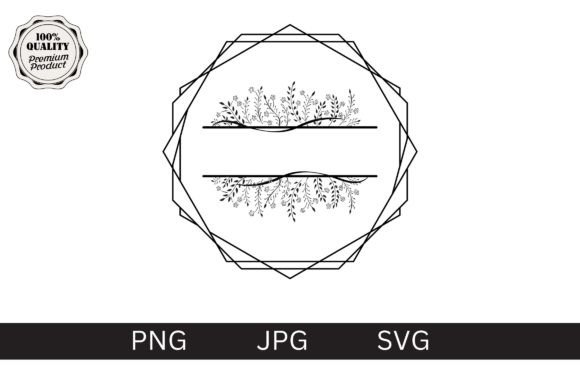
To get the most out of Monogram Design for School resources, adopt a workflow that prioritizes quality and versatility. Start by choosing a provider or creator who emphasizes vector-based solutions. Look for packages that offer all three formats—PNG, JPG, and SVG—to cover both digital and print needs.
Take the time to test your design. Print a small sample on the actual material you plan to use. Check for color accuracy, edge sharpness, and overall visual balance. By avoiding common technical pitfalls and investing in high-quality, editable assets, you ensure that your monogram projects are not only efficient to produce but also visually impactful. This approach saves you money in the long run by reducing reprints and elevating the perceived value of your work.
Remember, a monogram is a powerful tool for communication and identity. Treat it with the respect it deserves by paying attention to the details—from the choice of initials to the precision of the file format. With the right knowledge and resources, you can create designs that are timeless, professional, and uniquely yours.