Monogram Design on Cloth: A Practical Guide to Customization and File Formats
In the realm of personalized branding and custom apparel, few elements carry as much weight or versatility as a monogram. A monogram design on cloth transforms simple initials into a sophisticated emblem, offering a blend of personal identity and aesthetic appeal. Whether you are a small business owner looking to brand merchandise, a designer creating assets for clients, or an individual seeking unique gifts, understanding the technical and creative aspects of monogram graphics is essential.
This guide explores what monogram graphics are, why they are effective for clothing and other materials, and how choosing the right file format—specifically PNG, JPG, and SVG—can save time and ensure high-quality results. By evaluating these options, readers can make informed decisions that align with their specific production needs and budget constraints.
Understanding Monogram Graphics
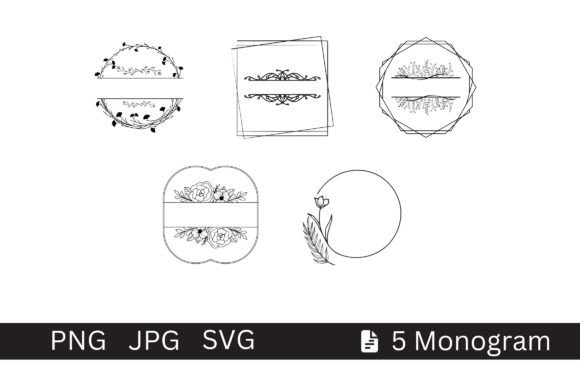
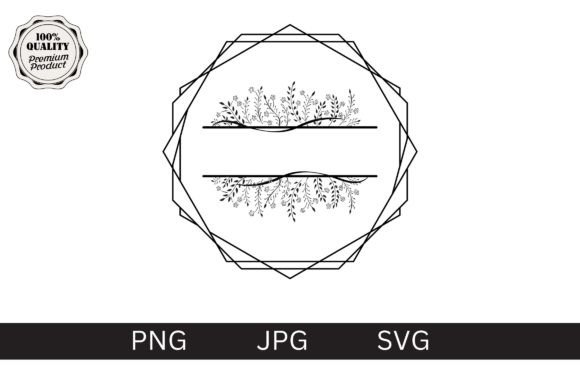
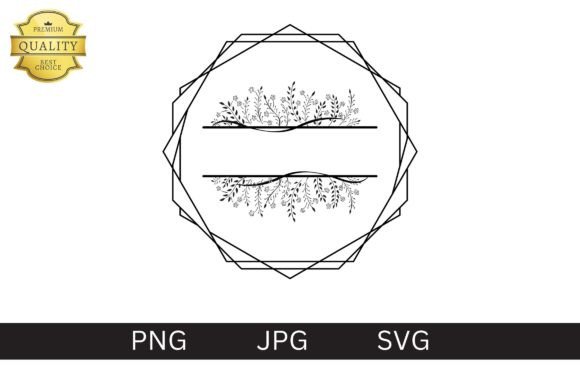
A monogram is a design consisting of one or more letters, typically the initials of a name, combined in a unique way to create a symbol or emblem. When translated into digital form, a monogram graphic becomes a visual representation created using graphic design software. These graphics serve as foundational elements for logos, branding components, and decorative designs.
The appeal of monograms lies in their adaptability. They can be rendered in various styles, from modern minimalist lines to classic ornate typography. Because they rely on typography and illustration rather than complex photographic elements, they offer a clean, professional look that scales well across different mediums. This makes them particularly suitable for applications such as:
- Apparel and clothing labels
- Stickers and decals
- Mugs and drinkware
- Pillows and home decor
- Posters and wall art
- Corporate logo integration
When applied to cloth, a monogram adds a layer of exclusivity. It signals attention to detail and personal care, which is why it remains a popular choice for both commercial products and personal projects.
The Importance of File Formats: PNG, JPG, and SVG
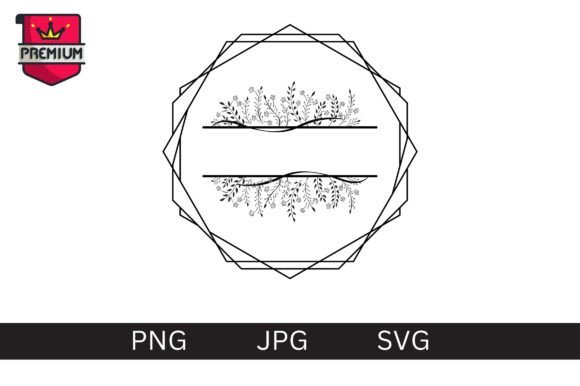
One of the most critical decisions in preparing a monogram for print or digital use is selecting the correct file format. The three most common formats—PNG, JPG, and SVG—each have distinct characteristics that affect image quality, scalability, and ease of editing. Understanding these differences allows users to save priceless time by avoiding rework and ensuring compatibility with printing equipment.
SVG (Scalable Vector Graphics)
The SVG format is widely regarded as the gold standard for monogram designs intended for physical production. Unlike raster images, SVGs are built using mathematical equations and vector shapes. This means they are resizable without any loss of quality. A monogram designed in SVG can be scaled from the size of a postage stamp to the width of a billboard, and the edges will remain crisp and sharp.
Key advantages of SVG include:
- 100% Vector Shapes: The design is composed entirely of vectors, making it infinitely scalable.
- Easy Color Changes: Since the colors are defined by attributes within the code, changing the color palette is often as simple as modifying a single line of code or using design software layers.
- Editability: Designers can easily modify individual paths, curves, and text elements after purchase or creation.
- Small File Size: SVG files are generally smaller than high-resolution raster images, facilitating faster uploads and downloads.
For those planning to print on t-shirts, embroidery machines, or vinyl cutters, SVG is often the preferred format because it provides precise control over the design boundaries.
PNG (Portable Network Graphics)
PNG is a raster image format that supports transparency. This feature is crucial for monograms, as it allows the design to be placed over any background color without a visible white box surrounding it. PNGs are ideal for web use, digital mockups, and direct-to-garment (DTG) printing where a pixel-based image is required.
Considerations for PNG:
- Resolution Limits: PNGs are made of pixels. If you scale a PNG up beyond its original dimensions, it may become pixelated or blurry.
- High Quality Options: To mitigate resolution issues, ensure you are using high-resolution PNGs, ideally at 300 DPI (dots per inch), which is the standard for high-quality printing.
- Compatibility: PNGs are universally supported by almost all design software and online platforms.
JPG (Joint Photographic Experts Group)
JPG is a compressed image format commonly used for photographs. While less common for pure monogram designs due to its lack of transparency support, it is still widely available. JPGs do not support transparent backgrounds, meaning a monogram saved as a JPG will have a solid background (usually white). This can be limiting when placing the design on colored fabrics or dark-colored apparel.
When to use JPG:
- Quick previews or low-resolution web displays.
- Situations where file size reduction is prioritized over image fidelity.
- Projects where the monogram will always be placed on a white or light background.
However, for professional results on cloth, PNG or SVG is strongly recommended over JPG due to the transparency and clarity benefits.
Evaluating Benefits and Tradeoffs
Choosing between these formats involves balancing convenience, cost, and output quality. Here is a practical breakdown to help guide your decision-making process.
Benefits of Using Pre-Made Monogram Graphics
Utilizing pre-designed monogram graphics offers significant efficiency. Instead of hiring a designer to create a custom logo from scratch, users can select from existing libraries. This approach saves time and reduces costs. Furthermore, many of these graphics come in multiple formats, providing flexibility for different use cases.
Quality Standards: High-quality graphic packs often include files at 300 DPI, ensuring that the final printed product on t-shirts, stickers, or mugs is sharp and professional. This consistency is vital for maintaining brand integrity.
Tradeoffs and Considerations
While convenient, there are tradeoffs to consider. Pre-made designs may lack the uniqueness of a fully custom commission. If your brand requires a highly distinctive identity, a generic monogram might not suffice. Additionally, licensing terms vary; some graphics are free for personal use only, while others require commercial licenses for selling printed goods.
Technical Limitations: Raster formats like PNG and JPG are limited by their resolution. If a user attempts to enlarge a 72 DPI PNG for a large banner, the result will be poor quality. Conversely, SVG files require specific software (like Adobe Illustrator, Inkscape, or CorelDRAW) to edit effectively, which may present a learning curve for beginners.
Situational Fit: When to Choose What
To determine whether Monogram Design on Cloth via these file formats aligns with your goals, consider the following scenarios:
- Strong Fit for SVG: You are producing bulk orders of branded apparel, needing to change colors frequently, or requiring the design to be resized for various items (e.g., a logo for a pocket and a chest print). SVG ensures consistency and scalability.
- Strong Fit for PNG: You are doing digital marketing, creating social media posts, or using DTG printing services that accept pixel-based transparent images. It is also suitable if you do not have access to vector-editing software.
- Alternative Consideration: If you need extreme precision for embroidery, you might need a specialized PES or DST file format, which converts the vector data into stitch patterns. In this case, an SVG might need to be converted using specialized software.
Conclusion
Monogram designs on cloth offer a powerful way to personalize and brand items efficiently. By leveraging high-quality graphics available in PNG, JPG, and SVG formats, users can save time while achieving professional results. For maximum versatility and print quality, SVG is often the superior choice due to its vector nature and ease of color modification. However, PNG remains a strong contender for digital applications and transparent-background needs. Evaluating your specific production method, budget, and design requirements will help you select the right format, ensuring your monogram looks exceptional whether on a t-shirt, mug, or sticker.